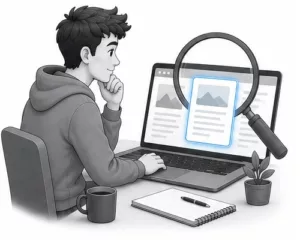
One of the biggest misconceptions beginners have is believing their website needs to be completely finished before anyone can visit it.
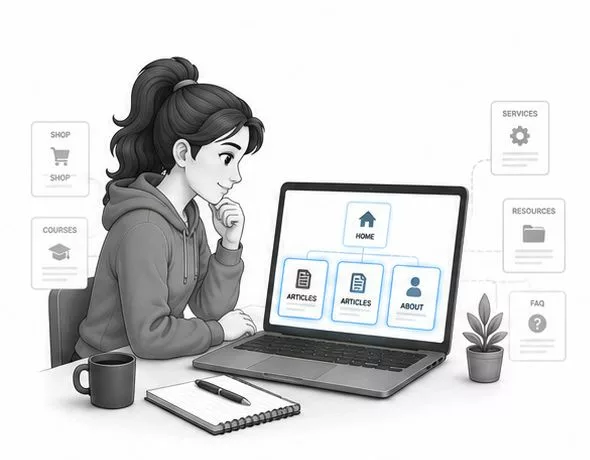
They imagine dozens of pages.
Complex menus.
Extensive resources.
Perfect designs.
In reality, most successful websites didn’t begin that way.
They started with a simple foundation.
A homepage.
A few helpful articles.
A way for visitors to learn more about the website and its purpose.
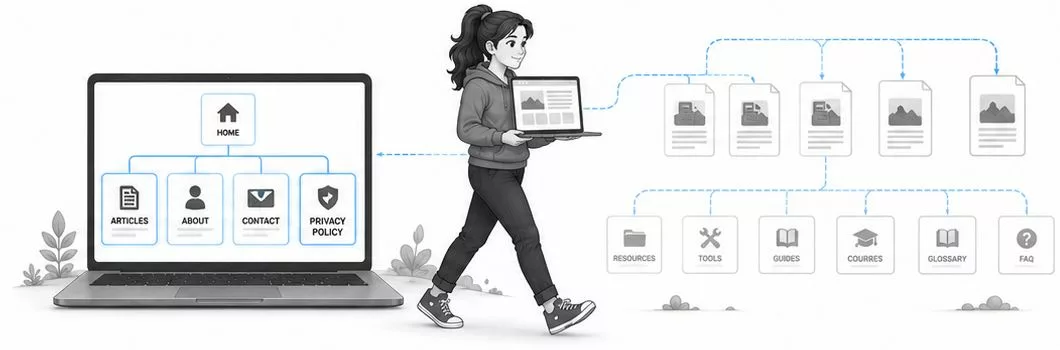
As the website grew, more pages were added naturally over time.
That’s exactly how your website can grow, too.
Do You Need Dozens of Pages Before Launching?
Your goal isn’t to launch with everything.
It’s to launch with enough.
A handful of well-organized pages is usually far more valuable than dozens of unfinished or unnecessary ones.
Visitors don’t expect a beginner website to contain hundreds of pages.
They simply want to understand who you are, what your website offers, and where they can find helpful information.
In this guide, we’ll look at the essential pages every beginner website should consider, why each one matters, and how starting simple makes your website easier to build, manage, and improve over time.
Start With the Pages Your Visitors Actually Need
When someone visits your website for the first time, they’re usually trying to answer a few simple questions:
- What is this website about?
- Can this help me?
- Who created it?
- Where should I start?
Your essential pages exist to answer those questions clearly.
Fortunately, you don’t need dozens of pages to do that.
Most beginner websites can launch successfully with just a handful of carefully planned pages.
As your content grows, your website will naturally expand alongside it.
There’s no need to build everything on day one.
A small, organized website is often easier for visitors to navigate than a large website filled with unfinished pages.
That’s why it’s usually better to focus on quality rather than quantity.
Every Page Should Have a Purpose
Avoid creating pages simply because other websites have them. Each page should help visitors understand your website, find useful information, or build trust.
Keep Navigation Simple
Your visitors shouldn’t have to search for important information. A clear menu with a few essential pages is usually much easier to use than a long list of options.
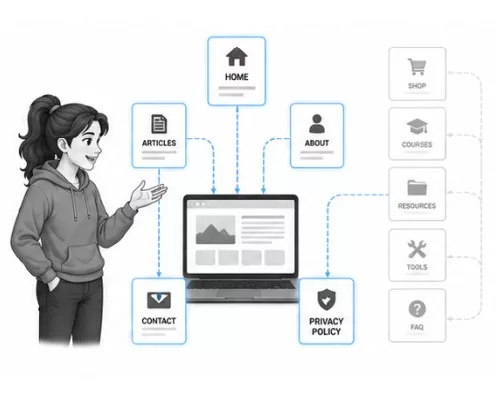
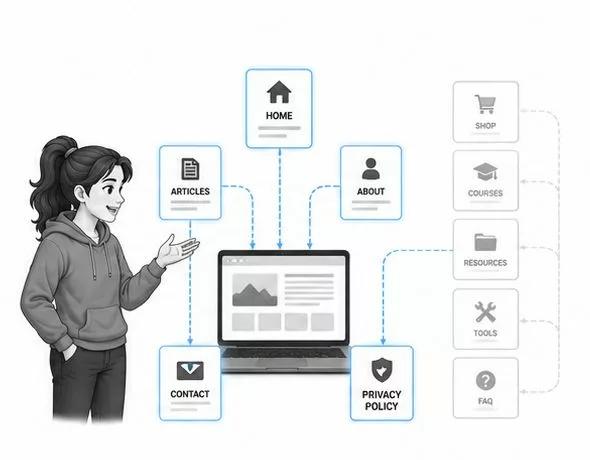
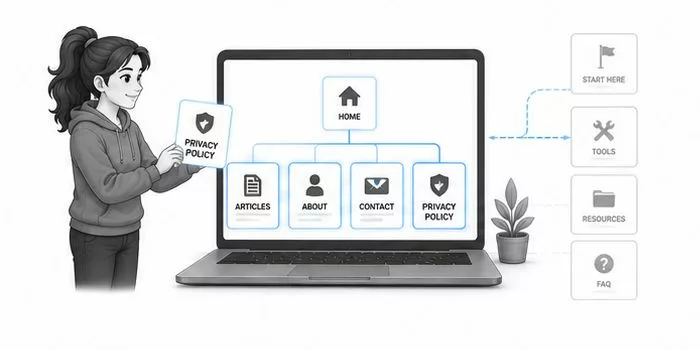
✓ Essential Pages for Most Beginner Websites
- Homepage: Introduces your website and helps visitors find the right content.
- Blog or Articles: Where your helpful content is published.
- About Page: Explains who you are and why you created the website.
- Contact Page: Gives visitors a simple way to reach you.
- Privacy Policy: An important page for transparency and legal compliance.
That’s enough to launch a professional-looking beginner website.
Additional pages can always be added later.
Key Takeaway
A website isn’t judged by how many pages it has. It’s judged by how useful those pages are.
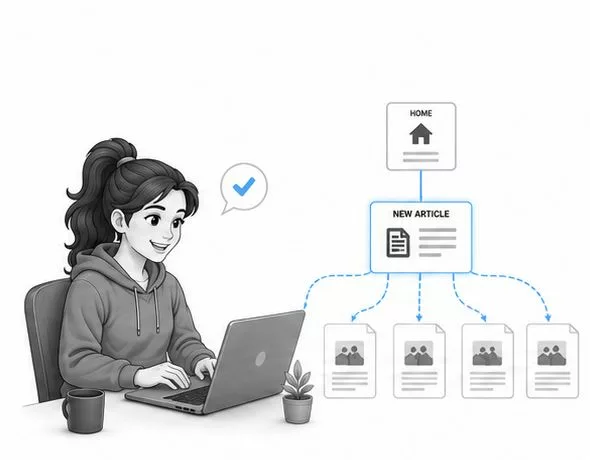
Your Content Will Become Your Biggest Asset
Many beginners spend weeks worrying about static pages like the homepage or About page.
While those pages are important, they usually aren’t what brings most visitors to your website.
Helpful content does.
Each article you publish becomes another opportunity for someone to discover your website through search engines, recommendations, or shared links.
Over time, those individual articles often become the largest part of your website.
That’s why your blog or resource section deserves most of your attention.
Think of your homepage as the front door.
Your articles are the rooms people actually come to visit.
The more helpful content you create, the more valuable your website becomes.
Your static pages provide structure.
Your content creates growth.
Together, they form a website that’s both welcoming and useful.
Articles Answer Real Questions
Every helpful article gives someone another reason to visit your website. Over time, these resources become the foundation of your long-term traffic and authority.
Build Gradually
You don’t need fifty articles before launching. One helpful article today is far more valuable than ten ideas that never get published.
✓ Focus Your Energy Where It Matters Most
- Create a clear homepage.
- Publish helpful articles consistently.
- Write an honest About page.
- Make it easy for visitors to contact you.
- Expand your website naturally over time.
That’s a much stronger strategy than trying to create dozens of pages before anyone ever visits.
Common Beginner Mistake
Don’t spend months designing pages that few people will visit while delaying the helpful content that can actually attract readers.
Your articles are usually the engine that helps your website grow.
Now that you know which pages every beginner website actually needs, the final sections will show why launching with a simple foundation is often the smartest approach and how your website naturally grows one helpful page at a time.
Build Your Website One Page at a Time
If there’s one thing I’d like you to remember from this guide, it’s this:
Your first website doesn’t need to be complete; it simply needs to be useful.
Many beginners delay launching because they believe they need every page, every feature, and every idea finished before anyone can visit.
In reality, the opposite is often true.
The sooner you launch a simple, well-organized website, the sooner you can begin learning what your visitors actually need.
Over time, you’ll naturally add new articles.
Create additional resources.
Improve existing pages.
Expand your navigation.
Your website will evolve alongside your experience.
That’s exactly how most successful websites have grown.
Not by launching fully finished.
But by continually becoming more valuable.
Start with a strong foundation.
Then let your website grow one helpful page at a time.
Your Website Will Never Truly Be Finished
Even established websites continue adding new content, updating older pages, and improving the visitor experience. Growth is part of the journey.
Small Beginnings Lead to Big Libraries
Every successful content website started with a single homepage and a handful of articles. Over time, those small beginnings became valuable libraries of helpful information.
✓ A Beginner’s Website Checklist
- Create a clear homepage.
- Publish your first helpful article.
- Add an About page.
- Include a Contact page.
- Create a Privacy Policy.
- Continue expanding as your knowledge grows.
That’s more than enough to begin building an online business.
Try This Today
Instead of asking:
“What other pages should I build?”
Ask yourself:
“If someone visited my website today, would they understand what it’s about and find something genuinely helpful?”
If the answer is yes, you’re ready to keep building.
A Great Website Grows Alongside Its Creator
Your website doesn’t have to impress the entire internet on day one.
It simply needs to help the people who visit it.
As you continue learning, your website will naturally become more complete.
You’ll discover new topics to write about.
You’ll improve older articles.
You’ll reorganize your navigation.
You’ll add new pages when they genuinely serve your readers.
That’s exactly how long-term websites are built.
Not through one enormous launch.
But through hundreds of small improvements made over months and years.
Don’t measure your website against someone else’s finished project.
Measure it against where you were yesterday.
If today’s website is more helpful than yesterday’s, you’re moving in the right direction.
A Thought to Remember
A successful website isn’t built by creating every page at once. It’s built by continually adding value, one helpful page at a time.
Ready to Build Your Website With Confidence?
The best beginner websites aren’t the biggest; they’re the ones that clearly help visitors and continue growing over time. By focusing on a few essential pages first, you’ll create a strong foundation that’s easy to expand as your experience grows.
That’s exactly what the Free 4-Step Roadmap is designed to help you do. It walks you through choosing your direction, building your website, attracting visitors, and creating sustainable revenue streams, one practical step at a time.
Start the Free 4-Step Roadmap →Continue Your Learning
- Can You Really Make Passive Income With a Website?
- Why Isn't Anyone Visiting My Website Yet?
- What Should I Do After My Website Is Finally Live?
- Do I Really Need a Website to Make Money Online?
- How Much Money Do I Need to Start an Online Business?
- How Do Beginners Get Their First Website Visitors?

- How Does Affiliate Marketing Actually Work?
- Is SEO Still Worth Learning Today?